Golang 組み込み構造体へのキャスト方法(Goのポリモーフィズムの実現)

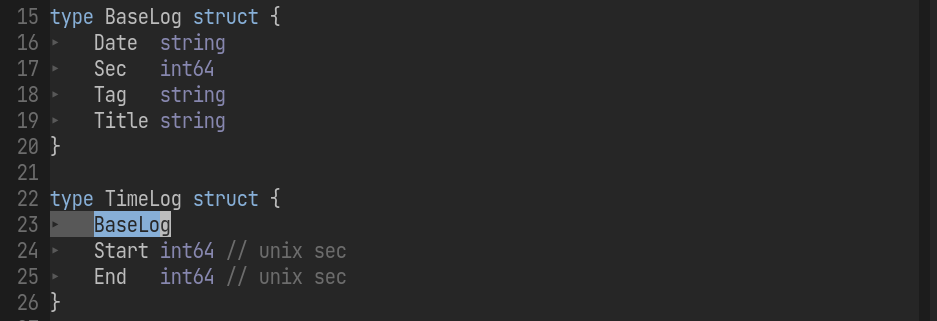
Golang 組み込み構造体へのキャスト方法(Goのポリモーフィズムの実現) Golangで組み込み構造体(親)へのキャストを行いたい場合は(ポリモーフィズムを得るためには)、インターフェイスの実装が必要 子から親への参照はある インターフェースの名前はGolangでは er が慣例 package main import "fmt" type Parent struct { Attr1 string } type Parenter interface { GetParent() Parent } type Child struct { Parent //embed Attr string } func (c Child) GetParent() Parent { return c.Parent } func setf(p Parenter) { fmt.Println(p) } func main() { var ch Child ch.Attr = "1" ch.Attr1 = "2" setf(ch) } // result {{2} 1} 参考 go - Golang interface cast to embedded struct - Stack Overflow あなたは、継承を使ったオブジェクト指向のデザインパターンを使おうとしています。これはGoでのやり方ではありません。また、Javaや同等のオブジェクト指向言語では、インターフェース名は’able’で終わります。Goでは、インターフェイス名は’er’で終わるのが慣例です。 You are trying to use an object oriented design pattern with inheritance. This is not how to do this in Go. Beside, interface names end in ‘able’ in Java or equivalent object oriented languages. In Go the convention is to end interface names with ’er’. ...

2022-07-11 ·  2022-07-11 · 1 分 · 210 文字

go generate assests box

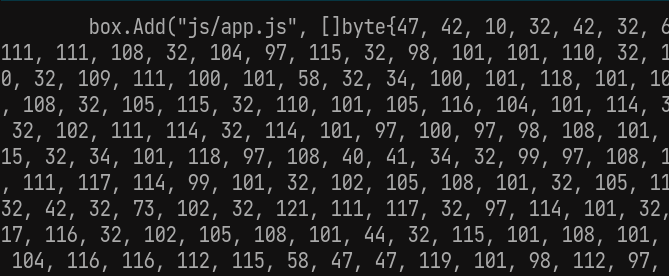
go generate を使った assets ディレクトリの静的組み込みバイナリ処理 モノリポで管理しているSPAなクライアント側の成果物 (dist) を gin で静的配布 できないかと思った際に調べた内容。 結局使用していないが、バイナリ化する手順としては使えそうなのでメモしておく。 ディレクトリは以下の様な形 ├── Makefile ├── assets -> ../../client/back/dist ├── box │ ├── blob.go │ └── box.go └─generator.go Makefile まずは関係ないけど、Makefileって@書けば && バックスラッシュ連結とかいらんのかという発見 ./... 指定で全てを対象に指定 generate: @go generate ./... @echo "[OK] Files added to embed box!" generator.go 1行目はfmtをかけると自動付与された // +build ignore コメントにより通常ビルド対象から外れる設定 生成される go ファイルは blob.go で box 配下に出力される f, err := os.Create(blobFileName) や、 embedFolder string = "../assets/" から current directory は box 配下の模様 //go:build ignore // +build ignore package main import ( "bytes" "fmt" "go/format" "io/ioutil" "log" "os" "path/filepath" "strings" "text/template" ) const ( blobFileName string = "blob.go" embedFolder string = "../assets/" ) // Define vars for build template var conv = map[string]interface{}{"conv": fmtByteSlice} var tmpl = template.Must(template.New("").Funcs(conv).Parse(`package box // Code generated by go generate; DO NOT EDIT. func init() { {{- range $name, $file := . }} box.Add("{{ $name }}", []byte{ {{ conv $file }} }) {{- end }} }`), ) func fmtByteSlice(s []byte) string { builder := strings.Builder{} for _, v := range s { builder.WriteString(fmt.Sprintf("%d,", int(v))) } return builder.String() } func main() { // Checking directory with files if _, err := os.Stat(embedFolder); os.IsNotExist(err) { log.Fatal("Configs directory does not exists!") } // Create map for filenames configs := make(map[string][]byte) // Walking through embed directory err := filepath.Walk(embedFolder, func(path string, info os.FileInfo, err error) error { relativePath := filepath.ToSlash(strings.TrimPrefix(path, embedFolder)) if info.IsDir() { // Skip directories log.Println(path, "is a directory, skipping...") return nil } else { // If element is a simple file, embed log.Println(path, "is a file, packing in...") b, err := ioutil.ReadFile(path) if err != nil { // If file not reading log.Printf("Error reading %s: %s", path, err) return err } // Add file name to map configs[relativePath] = b } return nil }) if err != nil { log.Fatal("Error walking through embed directory:", err) } // Create blob file f, err := os.Create(blobFileName) if err != nil { log.Fatal("Error creating blob file:", err) } defer f.Close() // Create buffer builder := &bytes.Buffer{} // Execute template if err = tmpl.Execute(builder, configs); err != nil { log.Fatal("Error executing template", err) } // Formatting generated code data, err := format.Source(builder.Bytes()) if err != nil { log.Fatal("Error formatting generated code", err) } // Writing blob file if err = ioutil.WriteFile(blobFileName, data, os.ModePerm); err != nil { log.Fatal("Error writing blob file", err) } } box.go //go:generate go run ../generator.go で go generate 時に実行される処理を記載する プロジェクトルートから ./... で全ファイルが対象として起動されたあと、box.go を見つけて、 先頭に//go:generate... があるからその後ろに定義しているコマンドを実行するような動き //go:generate go run ../generator.go package box type embedBox struct { storage map[string][]byte } // Create new box for embed files func newEmbedBox() *embedBox { return &embedBox{storage: make(map[string][]byte)} } // Add a file to box func (e *embedBox) Add(file string, content []byte) { e.storage[file] = content } // Get file's content func (e *embedBox) Get(file string) []byte { if f, ok := e.storage[file]; ok { return f } return nil } // Embed box expose var box = newEmbedBox() // Add a file content to box func Add(file string, content []byte) { box.Add(file, content) } // Get a file from box func Get(file string) []byte { return box.Get(file) } blob.go go generate 後の成果物 generator.go の template 処理で書いている通り、box.Add でバイナリデータをキー(相対パス)に紐付けるコードが生成されている package box // Code generated by go generate; DO NOT EDIT. func init() { box.Add("js/app.js", []byte{0, 0, ... : blob.goの使用方法 fmt.Println(string(box.Get("js/app.js"))) 参考 The easiest way to embed static files into a binary file in your Golang app (no external dependencies) - DEV Community ...
2022-06-22 ·  2023-04-26 · 3 分 · 559 文字

docker compose の仕様変更による進化

docker compose の仕様変更による進化 docker-compose から docker compose へ移行しようかと思い調べ始めたので記録 Context of Docker Compose evolution Composeの仕様変更により compose yaml ファイルと docker-compose の実装が明確に切り離された この変更により多くの機能追加ができるようになった composeコマンドのdocker cliへの追加 Docker コンテキストの切り替えにより、クラウドプラットフォームへ アプリケーションを up する Amazon ECS Microsoft ACI Compose v2 は仕様の一部としてメンテナンスされる compose-go バインディングに直接依存 これにより、コミュニティによる提案や、Docker cli/Engine による実験的な実装や機能のユーザへの提供を早めます Compose v2 は Go で書かれている為、docker コマンドライン機能の統合を改善し、Python依存なしに各種デバイス上でネイティブに走ることが可能となります。 詳細は以下から Overview of Docker Compose | Docker Documentation Context of Docker Compose evolution Introduction of the Compose specification makes a clean distinction between the Compose YAML file model and the docker-compose implementation. Making this change has enabled a number of enhancements, including adding the compose command directly into the Docker CLI, being able to “up” a Compose application on cloud platforms by simply switching the Docker context, and launching of Amazon ECS and Microsoft ACI. As the Compose specification evolves, new features land faster in the Docker CLI. Compose V2 relies directly on the compose-go bindings which are maintained as part of the specification. This allows us to include community proposals, experimental implementations by the Docker CLI and/or Engine, and deliver features faster to users. Compose V2 also supports some of the newer additions to the specification, such as profiles and GPU devices. Compose V2 has been re-written in Go, which improves integration with other Docker command-line features, and allows it to run natively on macOS on Apple silicon, Windows, and Linux, without dependencies such as Python. For more information about compatibility with the compose v1 command-line, see the docker-compose compatibility list. ...

2022-05-19 ·  2022-05-19 · 2 分 · 254 文字

ipv6

楽天ひかり環境のネットワーク設定 最終的な構成は以下 ONU - SwitchHub -- Router(PPPoE) | | |- 公開用サーバ | | | |(<= ルータ同士をローカルエリア接続) | | |- Router(IPoE) |- スマホ |- テレビ.. IPv6 で通常は高速通信 IPv4 PPPoE でポート公開やVPNなどの DS-Lite で利用できないものを使用する想定 以下各項目と溜まった知見 IPoE PPPoE ルーターの設定 設定といってもIPv4 ルーターのDHCPを無効にして、IPアドレスをIPv6ルーターに合わせるだけです。IPv6ルーター(AX1167GR2)はいじる必要はありません。 IPv4 PPPoEとIPv6(v6プラス)を併用する | 小山電子 ONU SwitchingHub構成の方がシンプル PPPoEパススルー設定で数珠繋ぎとする方法も接続確認できたが、 ONU - ルータ間にSwitchingHubを挟むほうがシンプル PPPoEパススルー(ブリッジ) ネットワーク内部から外部へのPPPoE接続を中継(パススルー(ブリッジ))する機能。 家庭などでインターネット接続に用いられるブロードバンドルータなどが持つ機能の一つ 古いネットワーク(IPv4/PPPoE)接続方式に戻してからネットワークに接続する IPv4アドレスがない(IPv6で接続している)状態でも、IPv6非対応サービスなどに接続することが可能 IPv6パススルー(ブリッジ) IPv6ブリッジ機能が有効である状態のこと 配下に設置したPCやルータがIPv6ネットワークへ接続できる状態になっている事を言います。 PPTPパススルー(ブリッジ)(VPNパススルー) IPsec(IP Security)または、PPTP(Point to Point Tunneling Protocol)による VPN(Virtual Private Network)通信を通過させることができる機能 IPv4 over IPv6 サービス名として、 v6 プラス と表記する場合あり 通信のカプセル化 IPv6パケットの中にIPv4パケットを包含して通信 必要に応じてIPv6接続で通信でき、必要に応じてIPv4アドレスでの通信も可能 インターネット回線に接続するまでに中継ポイントを介さない為、高速 光回線(ipv4(PPPoE))では網終端装置を介する方式が主流 アクセス集中すると通信速度が遅くなる事が課題 接続方式は複数ある DS-Lite MAP-E IPv4 over IPv6技術としてMAP-EとDS-Liteを比較したとき、両者にほぼ違いはない IPv4 over IPv6では、IPアドレスのほか、ポートも複数のユーザーと共有 ポート開放は制限され、割り当てられたポートのみを開放可能 固定IPが使用できない 利用できる接続サービスが少ない VPS(仮想専用ネットワーク)などのPPTP SCTPを利用するサービスなど SCTP ストリーム コントロール トランスミッション プロトコル TCPやUDPと同様に、OSI参照モデルの中では第4層となるトランスポートレイヤに位置付けられるプロトコル 元々はIPネットワーク上で電話網のシグナリングプロトコルを実現するために設計されたが、 最終的には汎用性の高いトランスポートプロトコルとして、2000年に定義される インターネット接続の仕組み IPv4(PPPoE) 遅い IPv4方式のWEBサイトにのみアクセス可能 IPv6(PPPoE) 遅い IPv6方式のWEBサイトにのみアクセス可能 IPv6(IPoE) 速い IPv6方式のWEBサイトにのみアクセス可能 IPv6(IPoE)を利用するためには、インターネットを接続する企業側だけでなく、 プロバイダーなどの接続サービス側もIPv6に対応する必要あり 網終端装置はなぜアクセス集中で通信速度が遅くなるのか NGN網 Next Generation Network NTT東西の網 構造 PC - NGN - ISP - WWW ...

2022-01-04 ·  2023-09-22 · 2 分 · 217 文字

aws vault invalid client token id error

aws-vault で InvalidClientTokenId: The security token included in the request is invalid で怒られる │ Error: error reading IAM Role (rds-enhanced-monitoring-dev-db): InvalidClientTokenId: The security token included in the request is invalid │ status code: 403, request id: d09fe380-0c00-4485-9aeb-1e58740fdcb3 ここに答えがあった Error: The security token included in the request is invalid · Issue #260 · 99designs/aws-vault · GitHub I’ve encountered the same problem. It’s caused by the AWS API restrictions, that won’t allow you to touch IAM related APIs using the account with MFA enabled, unless you pass the MFA token within the request. Work around it is to call: $ aws-vault exec admin-iam –no-session – your_command It won’t use temporary credentials then. I know that’s not a perfect solution, but it works ;) ...

2021-12-02 ·  2023-09-22 · 1 分 · 125 文字