Terraform で google_api_gateway_api_config に api_config_id を設定すると再作成時に罠がある

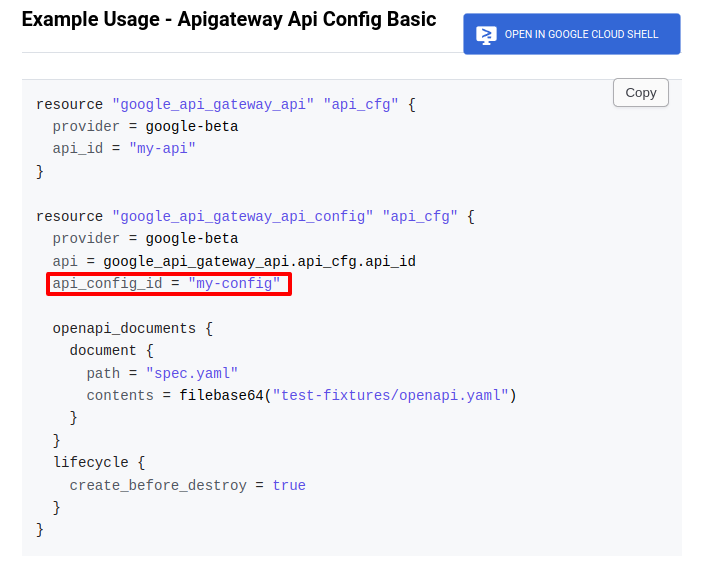
まとめ Terraform で google_api_gateway_api_config に api_config_id は設定しない 以下詳細 以下のように api_config_id を設定すると、再作成時にエラーが発生する resource "google_api_gateway_api_config" "default" { project = var.project_id provider = google-beta api = google_api_gateway_api.default.api_id api_config_id = "${var.env}-${var.service}-api-config" openapi_documents { document { path = "openapi.yaml" contents = base64encode(templatefile("${path.module}/openapi.yaml", { title = "${var.env} ${var.service} API" description = "This is the API for ${var.env} ${var.service}" version = "1.0.0" managed_service = google_api_gateway_api.default.managed_service func_url = google_cloud_run_service.default.status[0].url })) } } lifecycle { create_before_destroy = true } } │ Error: Error creating ApiConfig: googleapi: Error 409: Resource 'projects/{project_id}/locations/global/apis/{api_id}/configs/{api_config_name}' already exists │ Details: │ [ │ { │ "@type": "type....

2024-11-15 ·  2024-11-15 · 1 分 · 108 文字

GCP ApiGateway + CloudRun で CORS を設定する

構成 GCP ApiGateway -> CloudRun ApiGateway で OpenAPI yaml を定義している 1. OpenAPI yaml で x-google-endpoints に allowCors: True を設定して、バックエンドでCORSリクエストを処理する x-google-endpoints: - name: ${managed_service} allowCors: True # バックエンドでCORSリクエストを処理する 2. CloudRun で OPTIONS メソッドを設定する // 以下のように cors ミドルウェアを挟む http.HandleFunc("/example", cors(user.Handler)) // 定義はこんな感じ func cors(next http.HandlerFunc) http.HandlerFunc { return func(w http.ResponseWriter, r *http.Request) { if r.Method == "OPTIONS" { slog.Info("==> Reply OPTIONS Request", "status", http.StatusNoContent) w.Header().Set("Access-Control-Allow-Origin", "*") w.Header().Set("Access-Control-Allow-Methods", "GET, POST, PUT, PATCH, DELETE, OPTIONS") w....

2024-11-15 ·  2024-11-15 · 1 分 · 105 文字

tflint Tips

はじめに tflint 利用時のメモ 想定するディレクトリ構成 環境は dev, prd など 環境毎にディレクトリを切る 各環境の main.tf から使用したい module を使う module は 機能単位でディレクトリを切る cognitoとかで切ってるけど、サービスの有効無効など、もう少し大きな単位で切っても良いイメージ ├── envs │ ├── dev │ │ ├── main.tf │ │ ├── outputs.tf │ │ ├── swagger.yaml │ │ ├── terraform.tfvars │ │ └── variables.tf │ └── prd │ ├── main.tf │ └── ... └── module_aws ├── cognito │ ├── main.tf │ ├── outputs.tf │ └── variables.tf └── s3 ├── main.tf ├── outputs....

2024-11-08 ·  2024-11-09 · 2 分 · 396 文字

FullCalendar + shadcn Dialog で再レンダリングされるのを防ぐ

問題 FullCalendar と 同じページに shadcn Dialog を組み込み、 shadcn (Radix UI) Dialog の open ステートを useState で管理していると、 ダイアログの open/close 時に FullCalendar が再レンダリングされてしまう。 GoogleCalendarのイベントや、独自イベントがある場合、再レンダリングされると、 イベントが消えてしまう。 解決方法 ref, forwardRefs, useImperativeHandle を使って、再レンダリングを防ぐ。 以下詳細 まずは Dialog側 import { Ref, useMemo, useCallback, useState, forwardRef, useImperativeHandle, } from 'react'; import { Button } from '@/components/ui/button'; import { Dialog, DialogContent, } from '@/components/ui/dialog'; type SampleProps = { }; export interface SampleDialogRefInterface { open: () => void; close: () => void; } const SampleDialogButtonInner = (_: SampleProps, ref: Ref<SampleDialogRefInterface>) => { const [isOpen, setIsOpen] = useState(false); useImperativeHandle(ref, () => ({ open: () => setIsOpen(true), close: () => setIsOpen(false), })); return ( <Dialog open={isOpen} onOpenChange={setIsOpen}> {/* 外部からOpenしたいので、DialogTriggerは使わない */} {/* <DialogTrigger asChild> <Button>ボタン</Button> </DialogTrigger> */} <DialogContent className='h-[90%] overflow-hidden'> {/* 省略 */} </DialogContent> </Dialog> ); // } }; const SampleDialogButton = forwardRef(SampleDialogButtonInner); export default SampleDialogButton; SampleProps 親側から渡す props SampleDialogRefInterface ダイアログとして公開したいメソッドを定義する _: SampleProps props は使わないので、_ で受け取る。propsがないとエラー ref: Ref<SampleDialogRefInterface> ref を受け取る const [isOpen, setIsOpen] = useState(false); ダイアログの open/close ステートを useState で管理 <Dialog open={isOpen} onOpenChange={setIsOpen}> isOpen, setIsOpen を Dialog の open, onOpenChange で紐付け useImperativeHandle ref として公開して、外部から呼ばれた場合の動作を定義 Dialogの開閉を外部から制御できるようにする const SampleDialogButton = forwardRef(SampleDialogButtonInner) forwardRef で ref を受け取るコンポーネントを作成 FullCalendar 側(親側) import { EventClickArg } from '@fullcalendar/core'; import FullCalendar from '@fullcalendar/react'; import { useRef, useCallback } from 'react'; import SampleDialogButton, { SampleDialogRefInterface, } from '@/app/_components/SampleDialogButton'; export default function Calendar() { const sampleDialogRef = useRef<SampleDialogRefInterface>(null); const onDateClick = useCallback( (arg: DateClickArg) => { const target = arg....
2024-09-03 ·  2024-10-23 · 2 分 · 302 文字

GitHub Actions で maven release コマンドを発行する with tailscale で

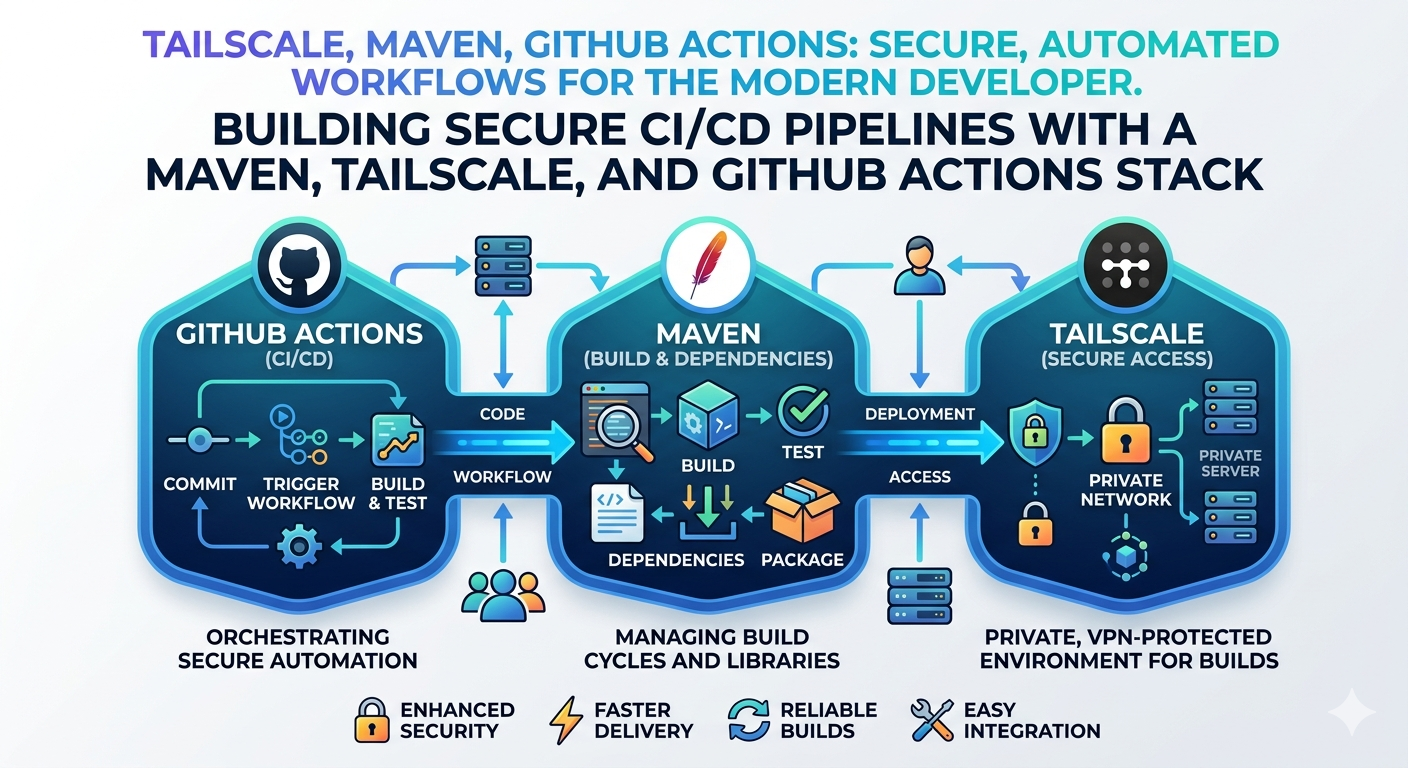
はじめに VPN配下でしかアクセスできない Maven リポジトリに Tailscale を利用してアクセスして、 Github Actions で maven release コマンドを発行する方法が必要になったので、構築した。 以下詳細 事前準備 各種 Secret 値を用意する Tailscale で TS_OAUTH_CLIENT_ID, TS_OAUTH_SECRET を発行 GitHub Actions で以下プラグインを使用する為 tailscale/github-action: A GitHub Action to connect your workflow to your Tailscale network. GitHub Actions 内から Maven Release コマンドで Git リポジトリにコミットする必要があるので、コミットユーザ用に 秘密鍵設定を行う 以下コマンドで秘密鍵を作成しておく ssh-keygen -t rsa -b 4096 -f id_rsa -C "github-actions" Github Actions で 使用する Secrets の登録 GitHub - Settings - Secrets and variables - Actions - Repository secrets に 以下キーで登録...

2024-08-01 ·  2026-07-01 · 4 分 · 645 文字