alembic で modelクラスを全てまるっとインポートする

はじめに alembic 自動生成する際に、指定ディレクトリ配下のクラスを全てまるっとインポートする方法 問題 疑問 自動生成したい対象のModelクラスをインポートしないと生成してくれない まとめ 結果 解決方法 以下を env.py 先頭に追記して、 app/models 配下の全てのクラスをインポートする # Import all models in app.models model_path = os.path.dirname(os.path.join(os.path.dirname(os.path.abspath(__file__)), '../app/models/')) for py in [f[:-3] for f in os.listdir(model_path) if f.endswith('.py') and (f != '__init__.py' and f != 'base_model.py')]: mod = __import__('.'.join(['app.modesl', py])) classes = [getattr(mod, x) for x in dir(mod) if isinstance(getattr(mod, x), type)] for cls in classes: setattr(sys.modules[__name__], cls.__name__, cls) Refs python - Import all classes in directory?...

2024-07-04 ·  2024-08-02 · 1 分 · 76 文字

Alembic revision --autogenerate で変更がなくても空のrevisionファイルができるのを避ける

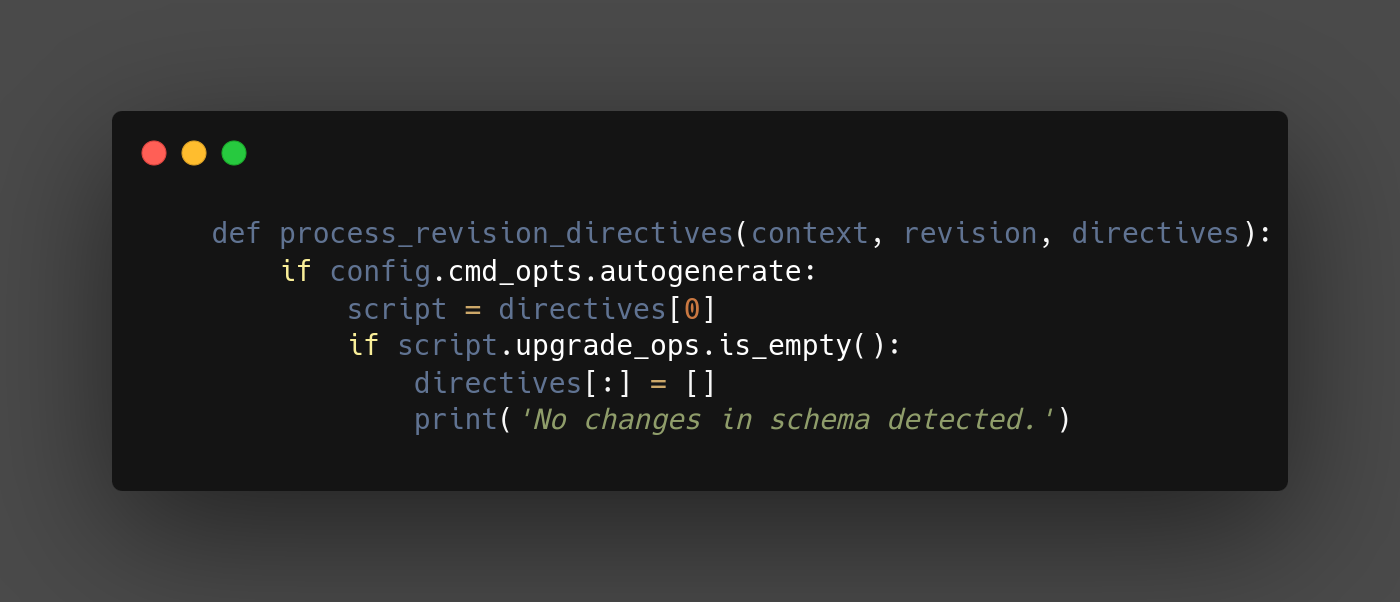
はじめに Alembic revision –autogenerate で変更がなくても空のrevisionファイルができるのを避ける python 3.11, alembic 1.7.7, sqlalchemy 2.0.30, sqlmodel 0.0.18 問題 疑問 変更がなくても空のrevisionファイルが生成されてしまう まとめ 結果 解決方法 以下のような process_revision_directives を設定することで、差分がない場合は空のrevisionファイルを生成しない def run_migrations_online(): : def process_revision_directives(context, revision, directives): if config.cmd_opts.autogenerate: script = directives[0] if script.upgrade_ops.is_empty(): directives[:] = [] print('No changes in schema detected.') : with connectable.connect() as connection: context.configure( connection=connection, target_metadata=target_metadata, include_schemas=True, dialect_opts={"paramstyle": "named"}, include_name=include_name, process_revision_directives=process_revision_directives, ) Refs python - How to prevent alembic revision –autogenerate from making revision file if it has not detected any changes?...

2024-07-04 ·  2024-08-02 · 1 分 · 81 文字

Alembic revision --autogenerate で差分のマイグレーションファイルができない

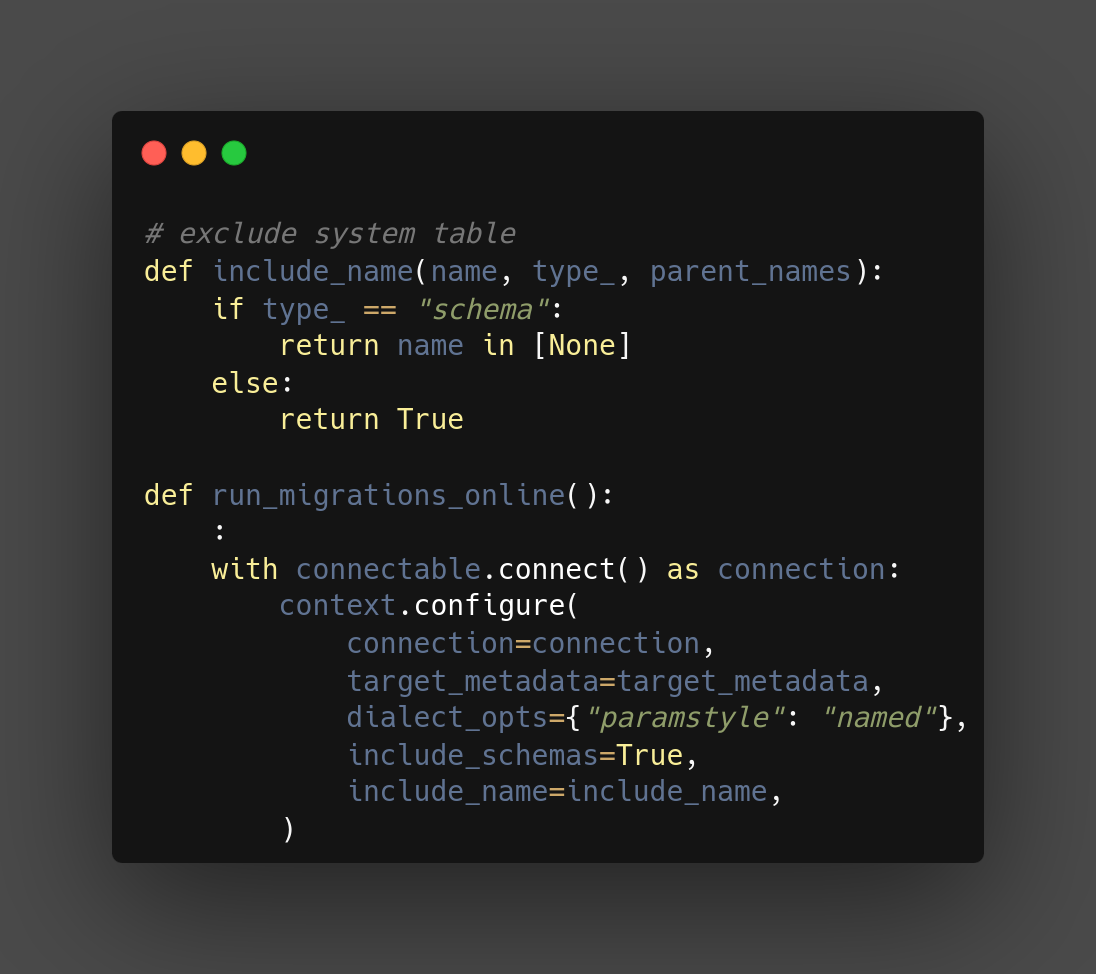
はじめに Alembic revision –autogenerate で差分のマイグレーションファイルができない python 3.11, alembic 1.7.7, sqlalchemy 2.0.30, sqlmodel 0.0.18 問題 毎回テーブル作成のマイグレーションファイルが生成されてしまう 解決方法 以下のような include_name を設定することで、デフォルトスキーマに限定する connection は schema 指定でアクセスしている為、type_=schema で name=None で検出される # exclude system table def include_name(name, type_, parent_names): if type_ == "schema": return name in [None] else: return True def run_migrations_online(): : with connectable.connect() as connection: context.configure( connection=connection, target_metadata=target_metadata, dialect_opts={"paramstyle": "named"}, include_schemas=True, include_name=include_name, ) Refs python - Alembic revision –autogenerate always detects a new table, instead of detecting new columns - Stack Overflow

2024-07-04 ·  2024-08-02 · 1 分 · 79 文字

atmoz/sftp コンテナにログインするとハングする問題を解決する

問題 atmoz/sftp イメージを使用して、SFTPサーバを立ち上げた際に、 ログインすると長い間ハングして、放置していたらログインできていた、という事象が発生した 開発者間で、同じ問題が発生していた 考察 色々ググった結果、下記記事にたどり着いた linux - Excessive SFTP CPU usage with chroot enabled when using the official Docker repository - Unix & Linux Stack Exchange Debugging a 12 minute hang after SFTP login どうも コンテナで使用する system の リソース制限の問題のようだったので、 ulimits を設定することで解決した 解決方法 ulimits を設定する ulimits: nproc: 65535 nofile: soft: 26677 hard: 46677 docker compose の sftp コンテナの全体はこんな感じ sftp: platform: linux/x86_64 container_name: $app-sftp image: atmoz/sftp init: true ulimits: nproc: 65535 nofile: soft: 26677 hard: 46677 volumes: - ....

2024-06-24 ·  2024-08-02 · 1 分 · 110 文字

VSCode Remote Container で Hung する問題を解決する

はじめに VSCode の リモートコンテナ や dev container を使って開発したいときに、遭遇したエラーの対処法を少し 問題 疑問 リモートSSH機能で VSCode 開くと、terminal でHungする リモートコンテナにアタッチしたり、dev container を開くと、リモートを開いています から進まない どちらも、M1 Mac上で OrbStack 上で立ち上げた ArchLinux に接続しているときに発生した まとめ 結果 解決方法 VSCode から開く Terminal では Tmux は起動しない 以下設定で、VSCode から起動されているかどうかを判定し、Tmux を起動するかどうかを切り替える is_vscode() { [[ -n $VSCODE_INJECTION ]]; } 拡張機能のシグニチャ検証を無効化、もしくは、ローカルから拡張機能をインストールする設定を有効にする dev container の場合は、拡張機能のシグニチャ検証を無効化 { // Configure tool-specific properties. "customizations": { "vscode": { "settings": { // Workaround for x86_64 containers on aarch64(like M1 Mac) hosts // see: https://zenn....

2024-05-23 ·  2024-08-02 · 1 分 · 141 文字