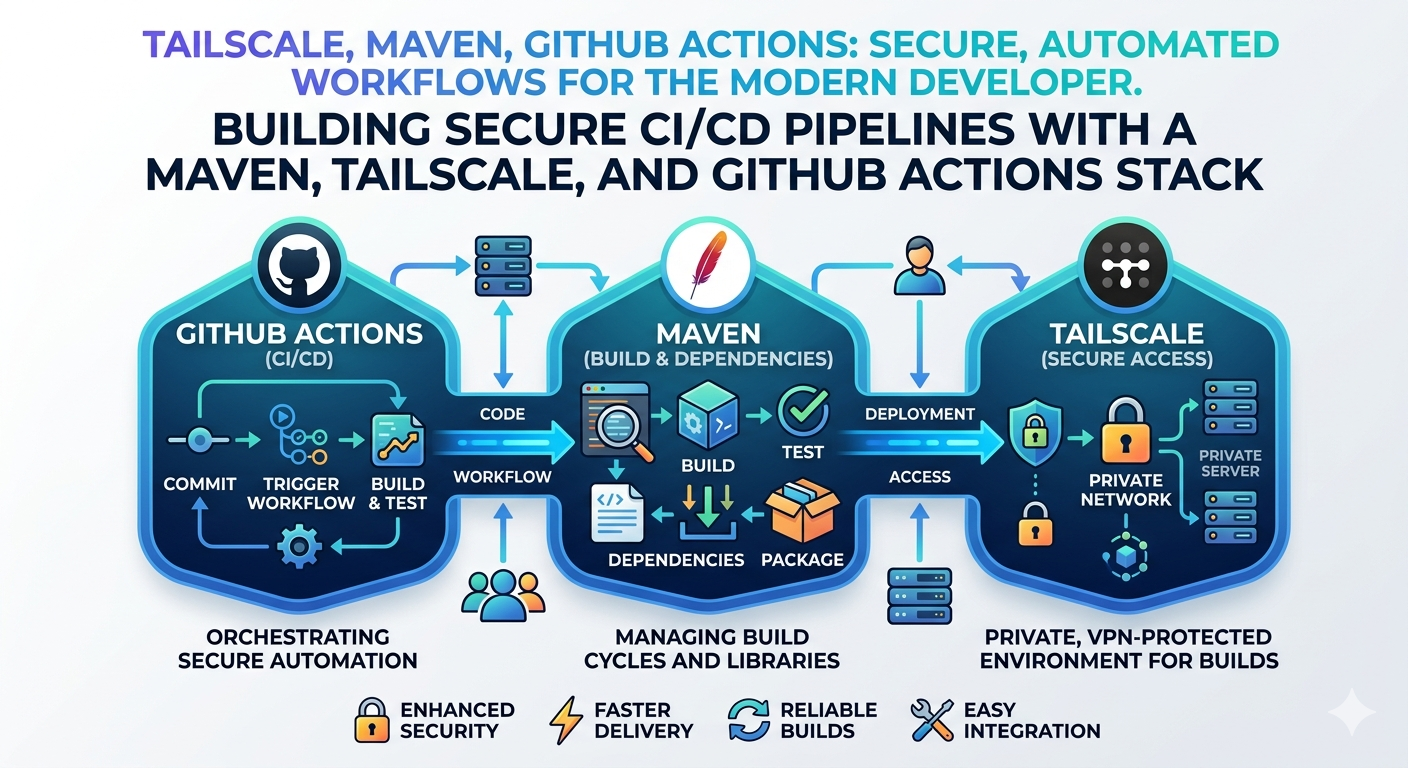
はじめに
VPN配下でしかアクセスできない Maven リポジトリに Tailscale を利用してアクセスして、
Github Actions で maven release コマンドを発行する方法が必要になったので、構築した。
以下詳細
事前準備
各種 Secret 値を用意する
Tailscale で
TS_OAUTH_CLIENT_ID,TS_OAUTH_SECRETを発行GitHub Actions で以下プラグインを使用する為
GitHub Actions 内から Maven Release コマンドで Git リポジトリにコミットする必要があるので、コミットユーザ用に 秘密鍵設定を行う
以下コマンドで秘密鍵を作成しておく
ssh-keygen -t rsa -b 4096 -f id_rsa -C "github-actions"
Github Actions で 使用する Secrets の登録
GitHub - Settings - Secrets and variables - Actions - Repository secrets に 以下キーで登録
- TS_OAUTH_CLIENT_ID: Tailscale で発行した OAuth Client ID
- TS_OAUTH_SECRET: Tailscale で発行した OAuth Secret
- ACTIONS_SSH_PRIVATE_KEY: 作成した秘密鍵の内容
GitHub - Settings - Deploy Keys に公開鍵を登録して、生成した秘密鍵でのアクセスを許可する
- GitHub - Settings - Deploy keys - Add deploy key から 公開鍵を登録
Github Actions workflow の実装
name: Build or Release
on:
  workflow_dispatch:
    inputs:
      target:
        type: choice
        required: true
        description: Deploy target
        options:
          - sample
          - sample-mybatis
      stage:
        type: choice
        required: false
        description: Specify stage(mvn profile) if needed(No need if release build(force prd))
        options:
          - dev
          - prd
      release:
        type: boolean
        description: Is release?
        default: false
env:
  CACHE_PATH_DOCKER: /tmp/docker_image
jobs:
  CleanupRuns:
    runs-on: ubuntu-latest
    steps:
      - uses: rokroskar/workflow-run-cleanup-action@v0.2.2
        env:
          GITHUB_TOKEN: "${{ secrets.GITHUB_TOKEN }}"
  BuildOrRelease:
    needs: CleanupRuns
    runs-on: ubuntu-latest
    steps:
      - name: Checkout
        uses: actions/checkout@v4
        with:
          fetch-depth: 1
      - name: Show inputs
        run: |
          echo "target: ${{ github.event.inputs.target }}"
          echo "stage: ${{ github.event.inputs.stage }}"
          echo "release: ${{ github.event.inputs.release }}"
          echo "GITHUB_ACTIONS: $GITHUB_ACTIONS"
      - name: Tailscale
        # GitHub Actions で Tailscale を利用する
        uses: tailscale/github-action@v2
        with:
          oauth-client-id: ${{ secrets.TS_OAUTH_CLIENT_ID }}
          oauth-secret: ${{ secrets.TS_OAUTH_SECRET }}
          tags: tag:ci
      - name: Install SSH Key
        # GitHub Actions Maven Release ビルドを行う際に使用する秘密鍵をRunnnerのユーザの鍵として登録しておく
        uses: shimataro/ssh-key-action@v2
        with:
          key: ${{ secrets.ACTIONS_SSH_PRIVATE_KEY }}
          name: id_rsa
          known_hosts: unnecessary
      - name: Prepare Maven Build
        run: |
          git config --global user.name 'GitHub Actions'
          git config --global user.email 'github-actions@users.noreply.github.com'
          mkdir -p ~/.m2
          # ここで作成する settings.xml は 以下を参照
          cat<.github/workflows/assets/settings.xml.part.head.tmpl > ~/.m2/settings.xml
          eval "echo \"$(cat<.github/workflows/assets/settings.xml.part.body.variable.tmpl)\"" >> ~/.m2/settings.xml
          cat<.github/workflows/assets/settings.xml.part.tail.tmpl >> ~/.m2/settings.xml
          # cat ~/.m2/settings.xml
          mkdir -p ${{ env.CACHE_PATH_DOCKER }}
        env:
          NEXUS_USERNAME: ${{ secrets.NEXUS_USERNAME }}
          NEXUS_PASSWORD: ${{ secrets.NEXUS_PASSWORD }}
      - name: Cache Docker Image Define
        # 下記で使用する Docker イメージのキャッシュを定義
        id: cache_docker_image_define
        run: |
          echo "tag=sample-app:1.0.0" >> $GITHUB_OUTPUT
          echo "tar_path=${{ env.CACHE_PATH_DOCKER }}/docker_image.tar" >> $GITHUB_OUTPUT
      - name: Enable Docker Image
        # この Workflow が正常に終了したら path をキャッシュ。
        # すでに key が存在する場合、path にキャッシュをリストアする。
        # GitHub Actions で Docker イメージのキャッシュとリストア(with actions/cache@v2) #GitHubActions - Qiita
        # https://qiita.com/KEINOS/items/433182390132c274649a
        id: cache_docker_image
        uses: actions/cache@v4
        with:
          path: ${{ env.CACHE_PATH_DOCKER }}
          key: ${{ steps.cache_docker_image_define.outputs.tag }}
      - name: Load Docker image if exists
        # キャッシュがある場合は tar をロードしてイメージ一覧に追加
        if: steps.cache_docker_image.outputs.cache-hit == 'true'
        run: docker load --input ${{ steps.cache_docker_image_define.outputs.tar_path }}
      - name: Cache Maven Repository
        # Maven リポジトリのキャッシュを定義
        uses: actions/cache@v4
        id: cache_maven_repository
        with:
          path: ~/.m2/repository
          restore-keys: |
            mvn-repository-
      - name: Build ${{ github.event.inputs.target }} ${{ github.event.inputs.stage }}
        id: build
        run: |
          opt_stage=
          input_stage=${{ github.event.inputs.stage }}
          if [[ -n "$input_stage" ]]; then
            opt_stage="stage=$input_stage"
          fi
          make build-${{ github.event.inputs.target }} $opt_stage
          # ここで ビルドに使用した Docker イメージを保存
          # タグを複数並べて保存できる
          docker save --output ${{ steps.cache_docker_image_define.outputs.tar_path }} ${{ steps.cache_docker_image_define.outputs.tag }}
      - name: 'Upload Artifact'
        # 成果物の保存
        uses: actions/upload-artifact@v4
        with:
          name: ${{ github.event.inputs.target }}-${{ github.event.inputs.stage }}
          path: |
            sample-app/target/sample-app-*-bin.zip
  Notice:
    needs: BuildOrRelease
    if: always()
    steps:
      - name: Notice
        # if: ${{ env.release == 'true' }}
        # if: ${{ secrets.SLACK_WEBHOOK_URL != '' }}
        uses: 8398a7/action-slack@v3
        env:
          SLACK_WEBHOOK_URL: ${{ secrets.SLACK_WEBHOOK_URL }}
        with:
          status: custom
          fields: workflow,job,commit,repo,ref,author,took
          custom_payload: |
            {
              attachments: [{
                color: '${{ needs.BuildOrRelease.outputs.result }}' === 'success' ? 'good' : 'danger',
                text: `${{ needs.BuildOrRelease.outputs.build_or_release }} Succeseeded by ${process.env.AS_AUTHOR}\n${{ needs.BuildOrRelease.outputs.artifact_files }}`,
              }]
            }
Maven ~/.m2/settings.xml の設定例
nexus-appの部分が Tailscale でアクセスしたい Host名- Tailscale 上の Machine 名でアクセスできる
<?xml version="1.0" encoding="UTF-8"?>
<settings xmlns="http://maven.apache.org/SETTINGS/1.0.0" xmlns:xsi="http://www.w3.org/2001/XMLSchema-instance" xsi:schemaLocation="http://maven.apache.org/SETTINGS/1.0.0 http://maven.apache.org/xsd/settings-1.0.0.xsd">
  <pluginGroups>
  </pluginGroups>
  <proxies>
  </proxies>
  <servers>
    <!-- pom.xml 内で 指定する Gitユーザ情報 -->
    <server>
      <id>github-git-ssh</id>
      <username>git</username>
      <privateKey>~/.ssh/id_rsa</privateKey>
      <passphrase/>
    </server>
    <server>
      <id>app-public-repository</id>
      <username>${NEXUS_USERNAME}</username>
      <password>${NEXUS_PASSWORD}</password>
    </server>
    <server>
      <id>app-snapshot-repository</id>
      <username>${NEXUS_USERNAME}</username>
      <password>${NEXUS_PASSWORD}</password>
    </server>
    <server>
      <id>app-release-repository</id>
      <username>${NEXUS_USERNAME}</username>
      <password>${NEXUS_PASSWORD}</password>
    </server>
  </servers>
  <mirrors>
    <mirror>
      <id>central-unblock-url</id>
      <mirrorOf>central</mirrorOf>
      <name>Central Repository</name>
      <url>https://repo.maven.apache.org/maven2</url>
    </mirror>
    <mirror>
      <id>app-public-repository</id>
      <mirrorOf>app-public-repository</mirrorOf>
      <name>app Maven2 Public Repository</name>
      <url>http://nexus-app/nexus/content/groups/public/</url>
    </mirror>
    <mirror>
      <id>app-release-repository</id>
      <mirrorOf>app-release-repository</mirrorOf>
      <name>app Maven2 Release Repository</name>
      <url>http://nexus-app/nexus/content/repositories/releases/</url>
    </mirror>
  </mirrors>
  <profiles>
  </profiles>
</settings>
<?xml version="1.0"?> <project xmlns="http://maven.apache.org/POM/4.0.0" xmlns:xsi="http://www.w3.org/2001/XMLSchema-instance" xsi:schemaLocation="http://maven.apache.org/POM/4.0.0 http://maven.apache.org/xsd/maven-4.0.0.xsd"> : <properties> <project.build.sourceEncoding>UTF-8</project.build.sourceEncoding> <project.scm.id>github-git-ssh</project.scm.id> </properties> : <scm> <connection>scm:git:ssh://git@github.com:/owner/repo-name.git</connection> <developerConnection>scm:git:ssh://git@github.com:/owner/repo-name.git</developerConnection> <tag>HEAD</tag> </scm> :