TypeScriptで型宣言を優先する理由

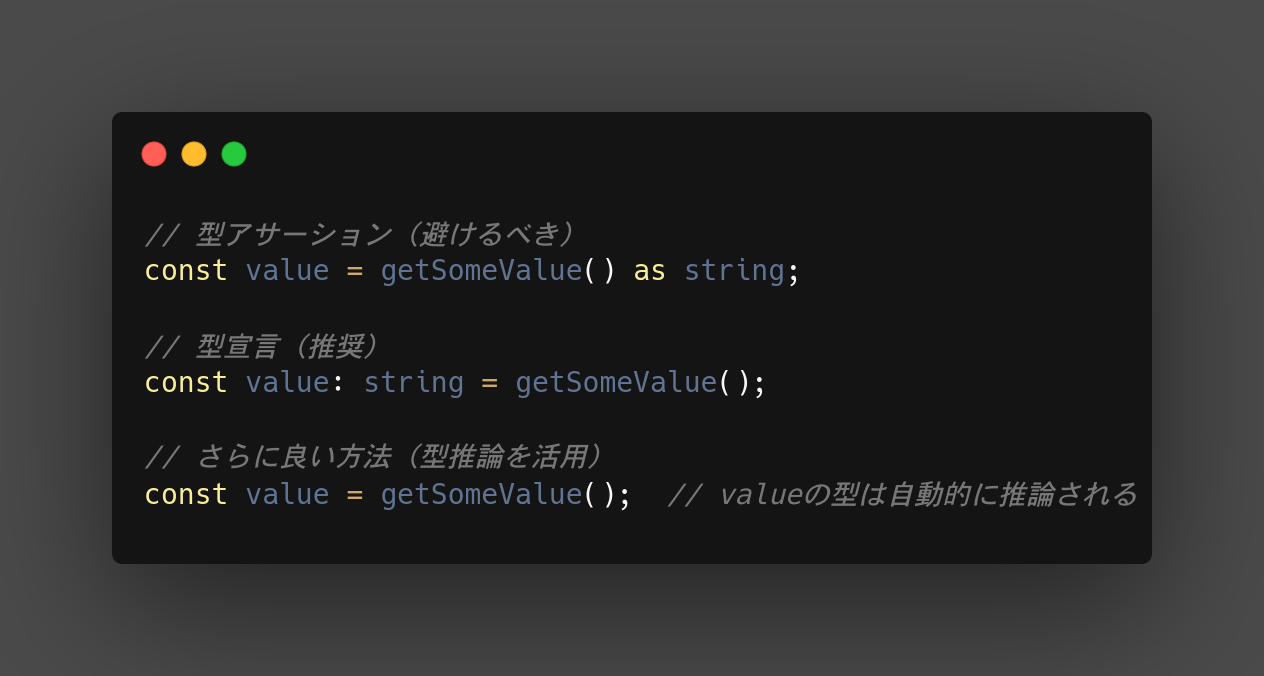
はじめに TypeScriptで型の管理方法にはいくつかの選択肢があり、型アサーション、型宣言、型推論などがある。 疑問 なぜ型アサーションよりも型宣言を優先すべきなのか。 型アサーションは便利に見えるが、実際にどのような問題を引き起こす可能性があるのか。 まとめ 型アサーションよりも型宣言を優先すべき型宣言よりも型推論できる状態にすべき 型宣言を使用することで、型安全性が向上し、コードの可読性が高まる。 IDEのサポートが強化され、リファクタリングが容易になる。 TypeScriptの型推論機能を活用することで、冗長なコードを減らせる。 以下詳細 型安全性の向上 型宣言は変数やパラメータの型を明示的に定義するため、コンパイル時に型チェックが行われる。 型アサーションはコンパイラに対して「この型で間違いない」と主張するため、潜在的なエラーを見逃す可能性がある。 コードの可読性 型宣言はコードの意図をより明確に示す。他の開発者がコードを読む際に、変数や関数の期待される型が一目で分かる。 IDEのサポート 型宣言を使用すると、IDEの自動補完やリファクタリング機能がより効果的に機能する。 リファクタリングの容易さ 型宣言を使用していると、後でコードを変更する際に型の不整合を早期に発見できる。 型アサーションを多用していると、これらの問題が見逃される可能性が高くなる。 型推論の活用 TypeScriptの型推論は非常に強力。 型宣言を適切に使用することで、型推論をより効果的に活用でき、冗長なコードを減らせる。 簡単な例: // 型アサーション(避けるべき) const value = getSomeValue() as string; // 型宣言(推奨) const value: string = getSomeValue(); // さらに良い方法(型推論を活用) const value = getSomeValue(); // valueの型は自動的に推論される 型宣言を使用することで、コードの品質と保守性が向上し、長期的にはより堅牢なアプリケーションの開発につながる。 ただし、どうしても型アサーションが必要な場合もあるので、完全に避けることはできない。適切な判断で使い分けることが重要。 Refs TypeScriptの型入門 #TypeScript - Qiita 【TypeScript】できるだけ as を避ける理由

2024-07-26 ·  2024-08-02 · 1 分 · 58 文字

alembic で modelクラスを全てまるっとインポートする

はじめに alembic 自動生成する際に、指定ディレクトリ配下のクラスを全てまるっとインポートする方法 問題 疑問 自動生成したい対象のModelクラスをインポートしないと生成してくれない まとめ 結果 解決方法 以下を env.py 先頭に追記して、 app/models 配下の全てのクラスをインポートする # Import all models in app.models model_path = os.path.dirname(os.path.join(os.path.dirname(os.path.abspath(__file__)), '../app/models/')) for py in [f[:-3] for f in os.listdir(model_path) if f.endswith('.py') and (f != '__init__.py' and f != 'base_model.py')]: mod = __import__('.'.join(['app.modesl', py])) classes = [getattr(mod, x) for x in dir(mod) if isinstance(getattr(mod, x), type)] for cls in classes: setattr(sys.modules[__name__], cls.__name__, cls) Refs python - Import all classes in directory?...

2024-07-04 ·  2024-08-02 · 1 分 · 76 文字

Alembic revision --autogenerate で変更がなくても空のrevisionファイルができるのを避ける

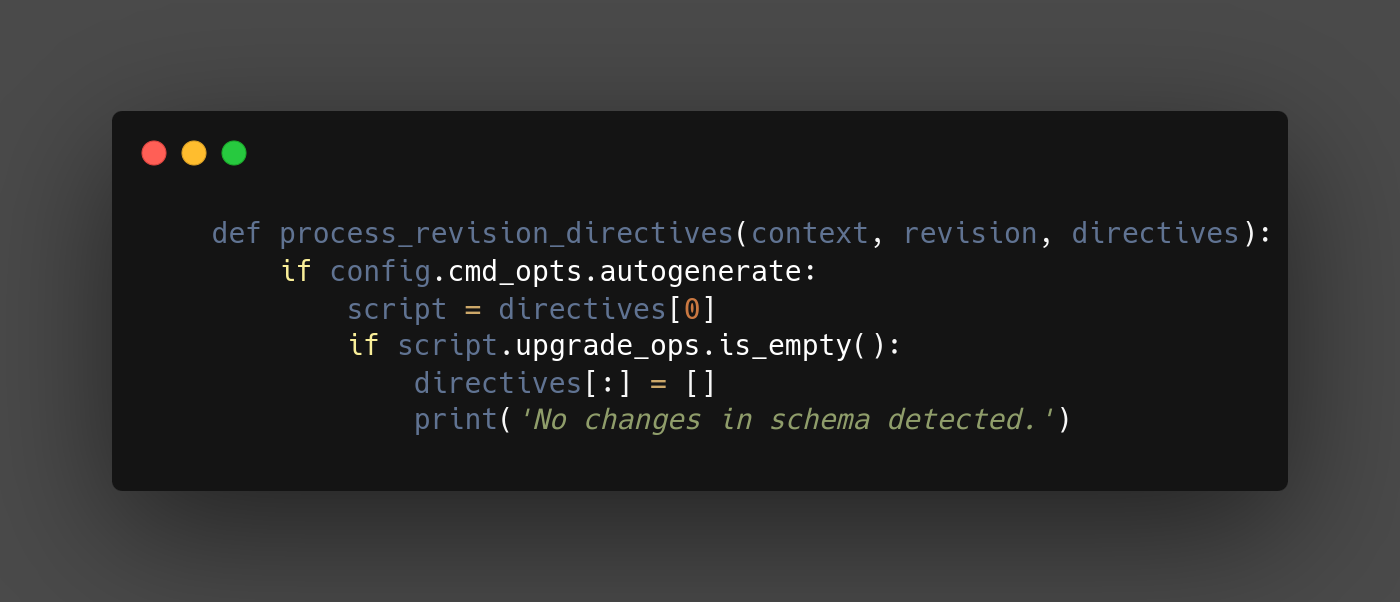
はじめに Alembic revision –autogenerate で変更がなくても空のrevisionファイルができるのを避ける python 3.11, alembic 1.7.7, sqlalchemy 2.0.30, sqlmodel 0.0.18 問題 疑問 変更がなくても空のrevisionファイルが生成されてしまう まとめ 結果 解決方法 以下のような process_revision_directives を設定することで、差分がない場合は空のrevisionファイルを生成しない def run_migrations_online(): : def process_revision_directives(context, revision, directives): if config.cmd_opts.autogenerate: script = directives[0] if script.upgrade_ops.is_empty(): directives[:] = [] print('No changes in schema detected.') : with connectable.connect() as connection: context.configure( connection=connection, target_metadata=target_metadata, include_schemas=True, dialect_opts={"paramstyle": "named"}, include_name=include_name, process_revision_directives=process_revision_directives, ) Refs python - How to prevent alembic revision –autogenerate from making revision file if it has not detected any changes?...

2024-07-04 ·  2024-08-02 · 1 分 · 81 文字

Alembic revision --autogenerate で差分のマイグレーションファイルができない

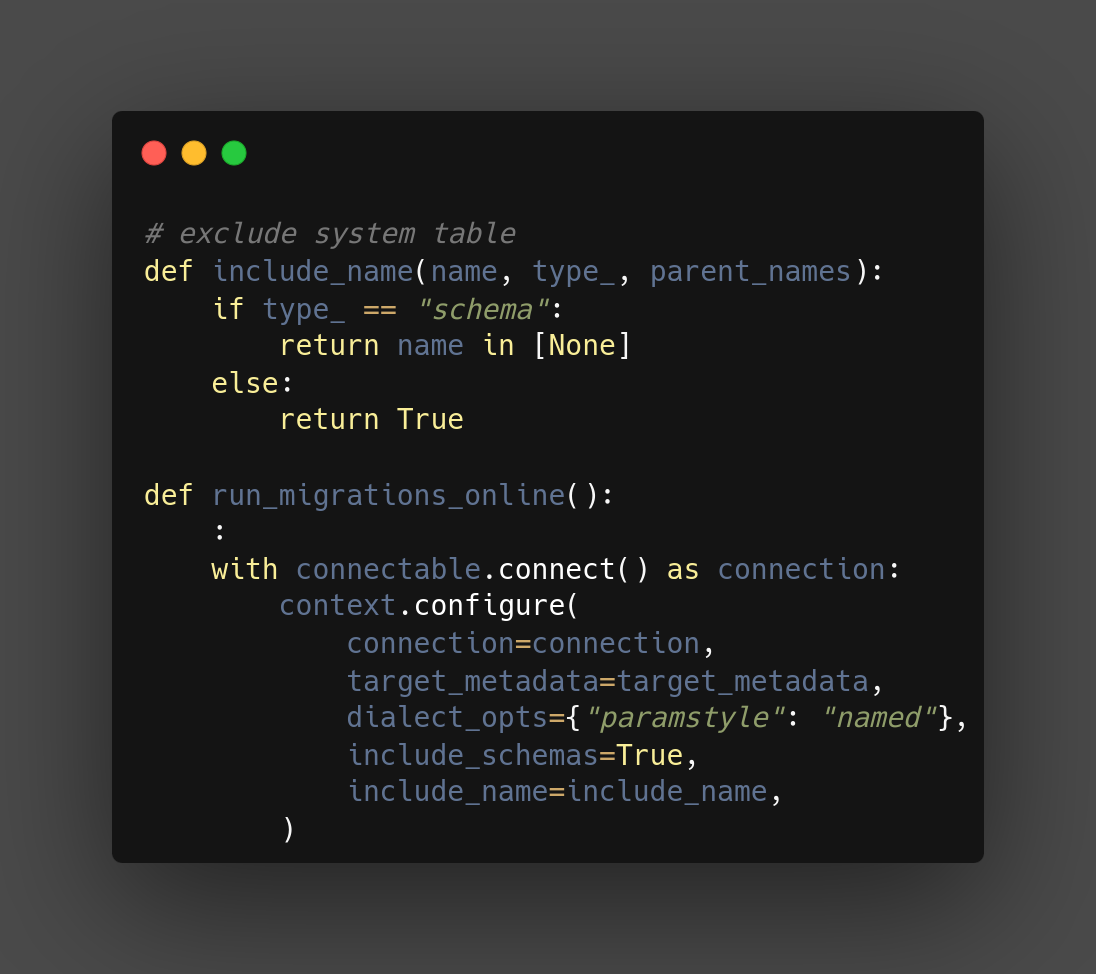
はじめに Alembic revision –autogenerate で差分のマイグレーションファイルができない python 3.11, alembic 1.7.7, sqlalchemy 2.0.30, sqlmodel 0.0.18 問題 毎回テーブル作成のマイグレーションファイルが生成されてしまう 解決方法 以下のような include_name を設定することで、デフォルトスキーマに限定する connection は schema 指定でアクセスしている為、type_=schema で name=None で検出される # exclude system table def include_name(name, type_, parent_names): if type_ == "schema": return name in [None] else: return True def run_migrations_online(): : with connectable.connect() as connection: context.configure( connection=connection, target_metadata=target_metadata, dialect_opts={"paramstyle": "named"}, include_schemas=True, include_name=include_name, ) Refs python - Alembic revision –autogenerate always detects a new table, instead of detecting new columns - Stack Overflow

2024-07-04 ·  2024-08-02 · 1 分 · 79 文字

atmoz/sftp コンテナにログインするとハングする問題を解決する

問題 atmoz/sftp イメージを使用して、SFTPサーバを立ち上げた際に、 ログインすると長い間ハングして、放置していたらログインできていた、という事象が発生した 開発者間で、同じ問題が発生していた 考察 色々ググった結果、下記記事にたどり着いた linux - Excessive SFTP CPU usage with chroot enabled when using the official Docker repository - Unix & Linux Stack Exchange Debugging a 12 minute hang after SFTP login どうも コンテナで使用する system の リソース制限の問題のようだったので、 ulimits を設定することで解決した 解決方法 ulimits を設定する ulimits: nproc: 65535 nofile: soft: 26677 hard: 46677 docker compose の sftp コンテナの全体はこんな感じ sftp: platform: linux/x86_64 container_name: $app-sftp image: atmoz/sftp init: true ulimits: nproc: 65535 nofile: soft: 26677 hard: 46677 volumes: - ....

2024-06-24 ·  2024-08-02 · 1 分 · 110 文字